
最近Agent Skills这个词在互联网AI板块爆火了起来,奋斗在开发工作一线的我迅速去了解了一下这个突然爆火起来的技术,与其说是一项技术我倒觉得叫它为Agent 的一种拓展包更为贴切。
什么是Agent Skills?
Agent Skills 是 Anthropic 推出的 一套开放标准,目的是让 AI 能够学习使用各种专业技能,而不用每次都重复输入提示词。
简单来说就是给AI添加技能包。技能包里有精心设计的提示词、代码脚本、还有各种资源文件。就目前来说如果把AI想象成一个初入职场的大学生,那么给它装上Skills(比如说公司编写代码的各种规范以及各种文档),他就知道应该如何编写公司内的代码;给他装上文档整理相关的Skills那么他就会生成各种PPT、文档、Excel等。
如何安装并使用Agent Skills
目前对 Agent Skills 支持最完善的工具是 Anthropic 官方的 Claude Code,我们就以此为例,安装并使用 Skills。
1. 打开claude code 添加官方的技能市场
打开claude code 之后输入命令:
/plugin marketplace add anthropics/skills这就像是在你的 AI 助手里开通了一个技能商店,接下来你就可以从商店中获取技能了。
通过命令添加claude code官方的技能包
/plugin install example-skills@anthropic-agent-skills这个 example-skills 包含了一堆官方示例技能,包括前端设计、网页测试、动图制作等等。装完之后,你就可以直接让 AI 使用这些技能了。
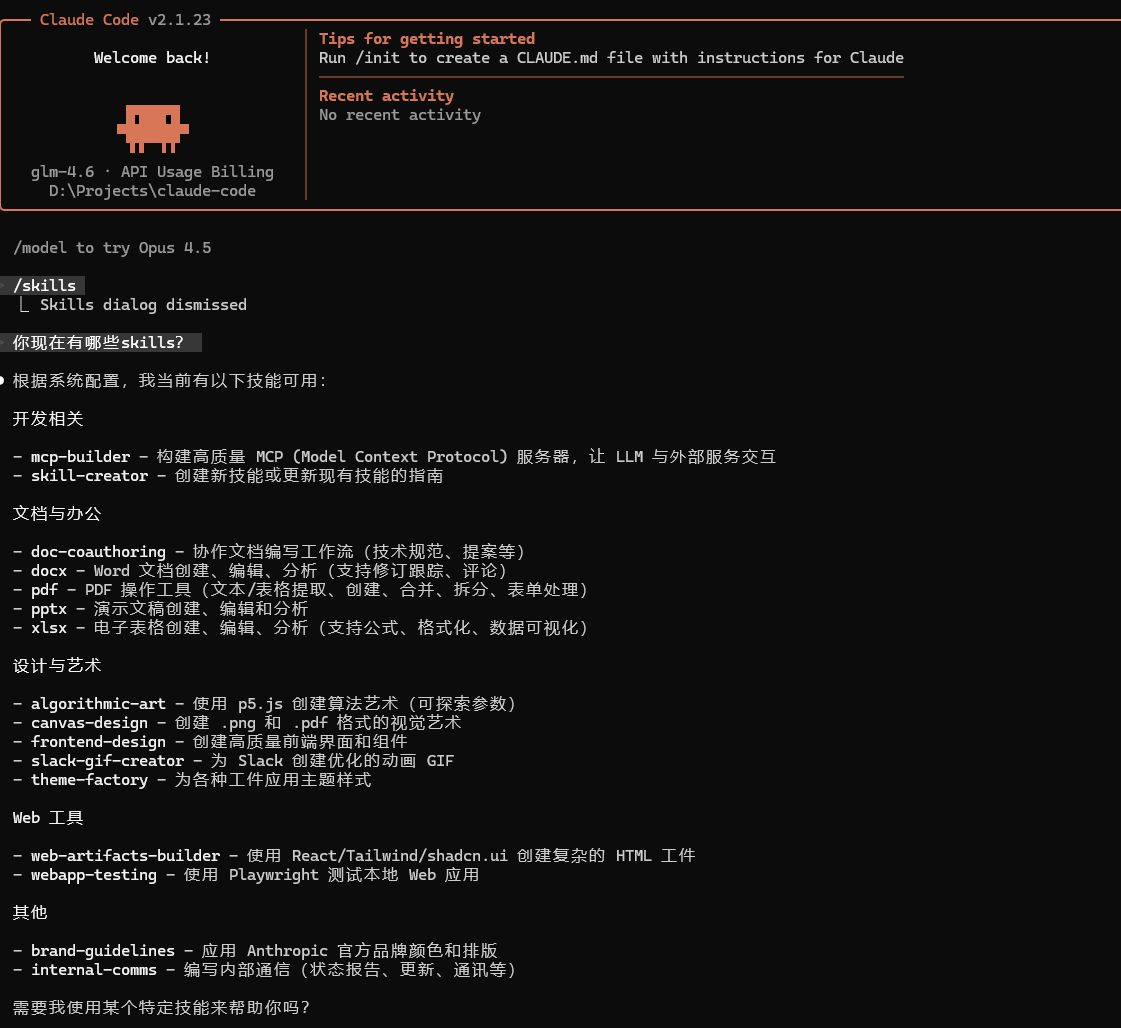
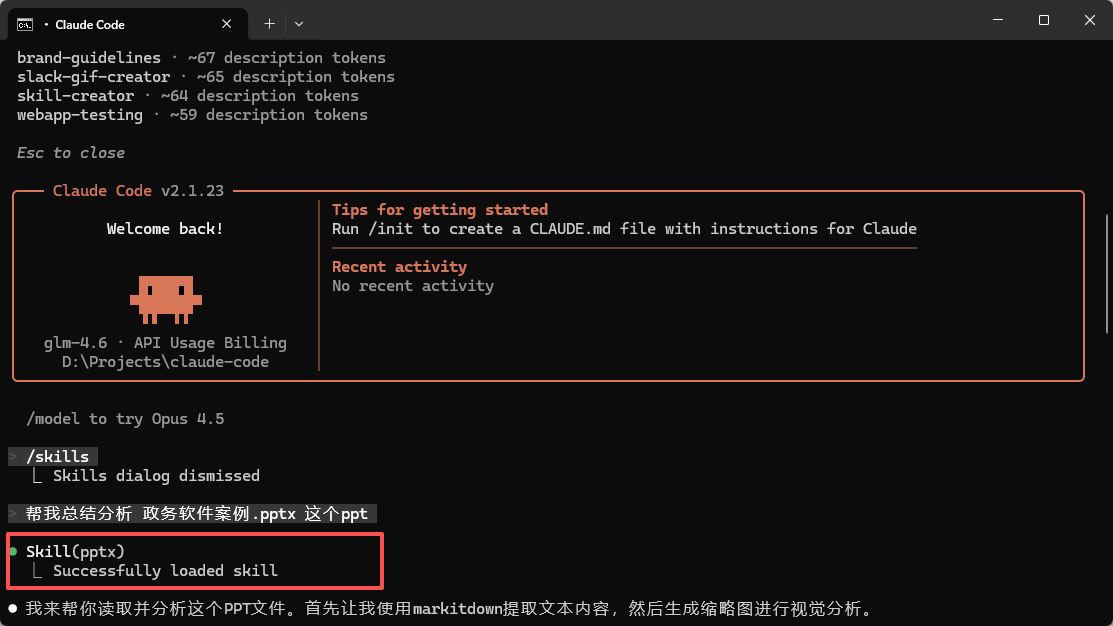
如果想让AI做一个或者分析总结一个ppt,他会自动根据语义去调用PPT技能,直接帮你完成你想要做的事情。
Agent Skills 原理
Skill其实就是一个包含 skill.md 说明的文件夹,还可以包含可执行脚本、资源和参考文档。
my-skill/
├── SKILL.md          # 必需:指令和元数据
├── scripts/          # 可选:可执行脚本
├── references/       # 可选:参考文档
└── assets/           # 可选:模板和资源
由于每个skill的复杂度不同,结构也会存在一些区别。可以在本地目录中查看已安装的skill文件夹:
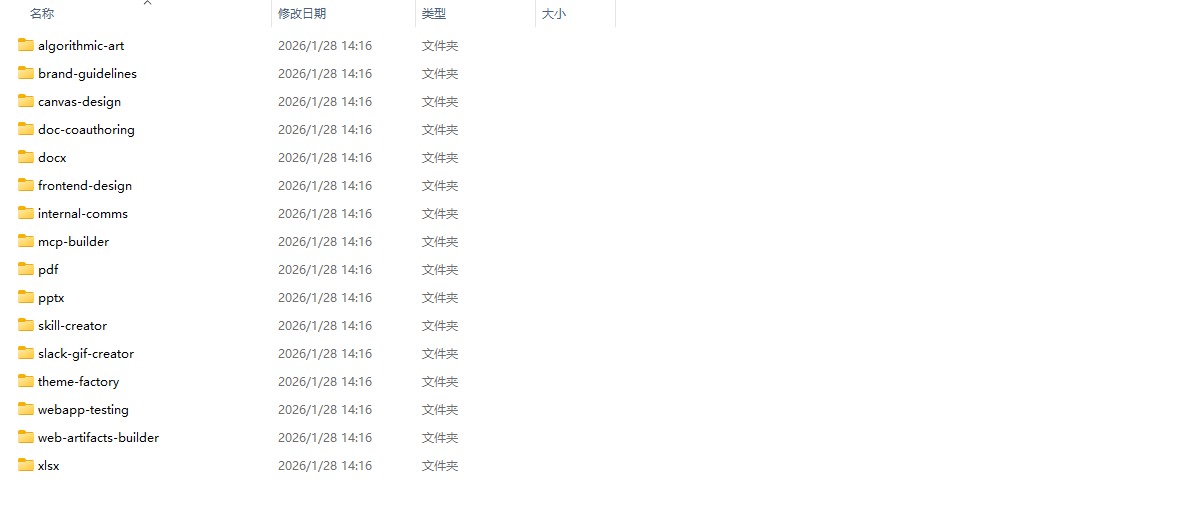
以官方的PPT制作skill为例,它的结构如下:
skills/pptx/
├── SKILL.md          # 技能说明书(必需)
├── ooxml/            # OOXML 相关资源
├── scripts/          # 处理脚本
├── html2pptx.md      # HTML 转 PPT 说明
├── ooxml.md          # OOXML 格式说明
└── LICENSE.txt       # 许可证
包含一个核心的技能说明文档 SKILL.md,还有脚本、参考文档和各种资源文件。
而 frontend-design 前端设计技能只有一个 SKILL.md 和LICENSE.txt文件。

SKILL.md 文件是每个技能的核心,它包含两个关键部分。
元数据,用 YAML 格式写在文件开头:
---
name: frontend-design
description: Create distinctive, production-grade frontend interfaces with high design quality. Use this skill when the user asks to build web components, pages, artifacts, posters, or applications (examples include websites, landing pages, dashboards, React components, HTML/CSS layouts, or when styling/beautifying any web UI). Generates creative, polished code and UI design that avoids generic AI aesthetics.
license: Complete terms in LICENSE.txt
---
其中 name 是技能的名字。description 是技能的描述,告诉 AI 什么时候应该使用这个技能。描述写得越清晰,AI 就越容易在合适的时机调用它。
指令内容,就是一套经过精心设计的提示词,指导 AI 具体怎么做:
This skill guides creation of distinctive, production-grade frontend interfaces that avoid generic "AI slop" aesthetics. Implement real working code with exceptional attention to aesthetic details and creative choices.

The user provides frontend requirements: a component, page, application, or interface to build. They may include context about the purpose, audience, or technical constraints.

## Design Thinking

Before coding, understand the context and commit to a BOLD aesthetic direction:
- **Purpose**: What problem does this interface solve? Who uses it?
- **Tone**: Pick an extreme: brutally minimal, maximalist chaos, retro-futuristic, organic/natural, luxury/refined, playful/toy-like, editorial/magazine, brutalist/raw, art deco/geometric, soft/pastel, industrial/utilitarian, etc. There are so many flavors to choose from. Use these for inspiration but design one that is true to the aesthetic direction.
- **Constraints**: Technical requirements (framework, performance, accessibility).
- **Differentiation**: What makes this UNFORGETTABLE? What's the one thing someone will remember?

**CRITICAL**: Choose a clear conceptual direction and execute it with precision. Bold maximalism and refined minimalism both work - the key is intentionality, not intensity.

Then implement working code (HTML/CSS/JS, React, Vue, etc.) that is:
- Production-grade and functional
- Visually striking and memorable
- Cohesive with a clear aesthetic point-of-view
- Meticulously refined in every detail

## Frontend Aesthetics Guidelines

Focus on:
- **Typography**: Choose fonts that are beautiful, unique, and interesting. Avoid generic fonts like Arial and Inter; opt instead for distinctive choices that elevate the frontend's aesthetics; unexpected, characterful font choices. Pair a distinctive display font with a refined body font.
- **Color & Theme**: Commit to a cohesive aesthetic. Use CSS variables for consistency. Dominant colors with sharp accents outperform timid, evenly-distributed palettes.
- **Motion**: Use animations for effects and micro-interactions. Prioritize CSS-only solutions for HTML. Use Motion library for React when available. Focus on high-impact moments: one well-orchestrated page load with staggered reveals (animation-delay) creates more delight than scattered micro-interactions. Use scroll-triggering and hover states that surprise.
- **Spatial Composition**: Unexpected layouts. Asymmetry. Overlap. Diagonal flow. Grid-breaking elements. Generous negative space OR controlled density.
- **Backgrounds & Visual Details**: Create atmosphere and depth rather than defaulting to solid colors. Add contextual effects and textures that match the overall aesthetic. Apply creative forms like gradient meshes, noise textures, geometric patterns, layered transparencies, dramatic shadows, decorative borders, custom cursors, and grain overlays.

NEVER use generic AI-generated aesthetics like overused font families (Inter, Roboto, Arial, system fonts), cliched color schemes (particularly purple gradients on white backgrounds), predictable layouts and component patterns, and cookie-cutter design that lacks context-specific character.

Interpret creatively and make unexpected choices that feel genuinely designed for the context. No design should be the same. Vary between light and dark themes, different fonts, different aesthetics. NEVER converge on common choices (Space Grotesk, for example) across generations.

**IMPORTANT**: Match implementation complexity to the aesthetic vision. Maximalist designs need elaborate code with extensive animations and effects. Minimalist or refined designs need restraint, precision, and careful attention to spacing, typography, and subtle details. Elegance comes from executing the vision well.

Remember: Claude is capable of extraordinary creative work. Don't hold back, show what can truly be created when thinking outside the box and committing fully to a distinctive vision.
以 上述frontend-design 技能为例,它的指令内容包括:
设计思考(Design Thinking):在写代码前,先分析产品目的、用户群体、技术约束,然后选择一个大胆的美学方向(极简、复古未来、工业风、有机自然、奢华精致等)
前端美学指南(Frontend Aesthetics Guidelines):包括字体选择(避免 Arial、Inter 等烂大街字体,选择有个性的组合)、配色主题(主色调配鲜明点缀色)、动效设计、空间构成、背景和视觉细节
着重禁止的内容:明确禁止紫色渐变、系统字体、千篇一律的布局等 AI 审美陷阱
渐进式披露(Progressive Disclosure)
如果说有多个skill,AI如何知道该使用哪个skill呢?如果把每个技能说明文档都塞给 AI,不是很占用上下文么?
这就要说到渐进式披露机制了。当你让 AI 执行任务时,它会先扫描技能目录,但不会把所有内容都加载到上下文中。而是只读取每个技能的元数据(名字和描述),发现描述和任务相关,就知道该用这个技能了。
跨工具的Agent Skills
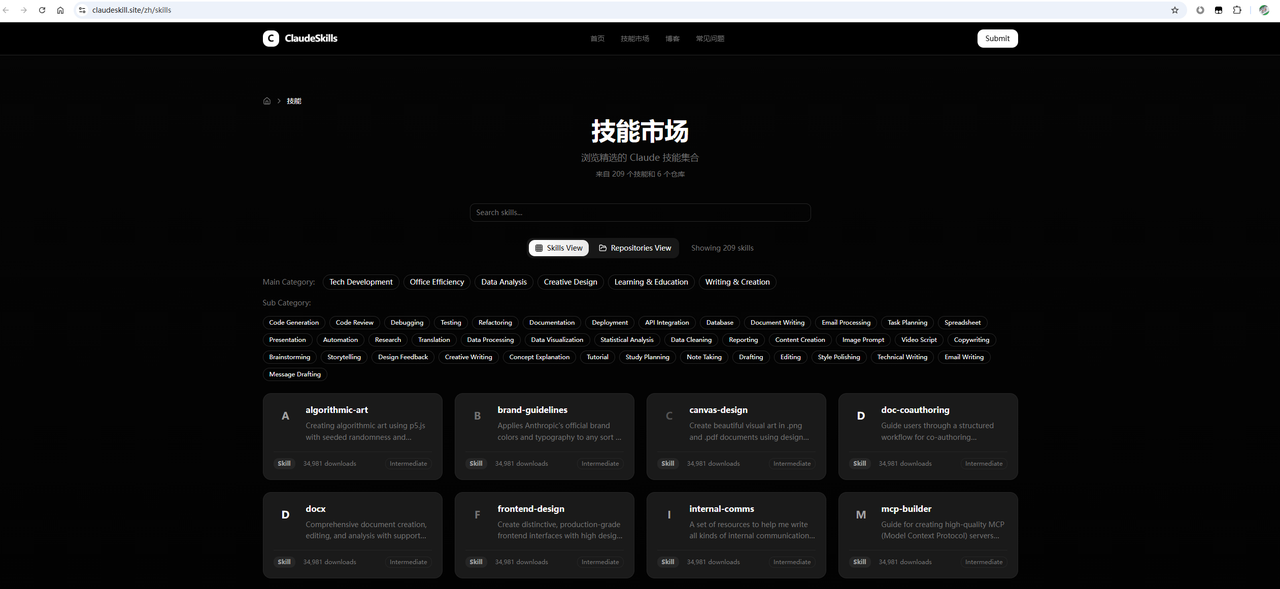
除了Claude Code 之外,其他AI工具是否也支持Agent Skills?当然能!Agent Skills 已经成为通用标准,Cursor、VS Code、Codex 等工具都支持。Skills 的社区也非常活跃,你可以在 Claude Skills Hub 市场、开源的 Awesome Claude Skills 等地方找到很多现成的技能。
以国产工具Qoder为例,使用Qoder打开一个项目,项目目录会生成一个.qoder文件夹,在这个文件夹中会有一个skills的子文件夹。上述我们已经在claude code 安装了 frontend-design这个skill,我们在目录中找到对应的目录并将这个目录复制到.qoder/skills中。
在对话页面使用 /skills 命令就可以看到skill了